
Black Friday can be a great sales opportunity for online retailers. It can also be a very effective way of finding every operational weakness in your business at exactly the same time.
And that does not only apply to businesses selling through their own ecommerce stores.
You might sell through Shopify or WooCommerce, marketplaces such as Takealot, Amazon, Makro, Leroy Merlin, Bob Shop or Loot, or a combination of several channels. You might dispatch orders from your own warehouse, use a third-party fulfilment partner, or send inventory to marketplace fulfilment centres.
Whichever model you use, more sales mean more stock movements, more payments, more picking and packing, more fulfilment activity and a lot more data moving between your systems.
If your stock, people, systems and fulfilment processes are ready, your business is in a much better position to scale with the demand. If they are not, Black Friday can quickly become a mix of overselling, stock discrepancies, delayed orders, payment issues and frantic spreadsheet updates.
So, before the busy season arrives, ask yourself: Is your business ready for Black Friday?
Here are some of the areas worth checking.

Make sure your stock data is accurate
Before you start driving more traffic to your products, you need to know exactly what you have available to sell.
And there is an important distinction between stock on hand and stock available to sell.
Just because inventory appears in your system does not necessarily mean it can be promised to a customer. Some of that stock may already be allocated to existing orders, damaged, awaiting a quality check, in transit or sitting in a location that cannot fulfil a particular sale.
For businesses using an inventory management platform such as Cin7, this is a good time to make sure product, warehouse and inventory information is properly configured and up to date.
Before the rush, check that you have:
- counted promotional products and best sellers
- investigated stock discrepancies rather than simply adjusting the figures
- reviewed existing orders and stock reservations
- confirmed quantities by warehouse, store and marketplace location
- separated stock in transit from stock that has been received and is available to sell
Marketplace sellers should also check the status of inventory sent to fulfilment centres. Stock may physically have arrived at a facility without yet being received, processed or made available for sale.
How can you avoid overselling on Black Friday?
A reliable central inventory system is an important starting point, but integration alone does not eliminate the risk of overselling.
You also need to understand when orders reserve inventory, how quickly stock changes reach each sales channel and whether failed updates are being picked up.
During a high-volume trading period, stock visibility needs active monitoring — not just a connection that appears to be switched on.
Get the right stock in the right place
Having enough stock overall is one thing. Having the right stock in the right warehouse, store, fulfilment centre or marketplace location is another.
Start by forecasting demand by product, channel and fulfilment location, rather than looking only at total historical sales.
Historical data can also be misleading if a product sold out in a previous period. If you sold 500 units before running out of stock, that does not necessarily mean demand was limited to 500.
Consider:
- previous sales and stockouts
- planned discounts
- upcoming advertising campaigns
- supplier quantities and confirmed delivery dates
- time required for receiving, transfers and quality checks
- components and packaging required for bundles or manufactured products
- stock already committed to existing customers
- the inventory you will still need after Black Friday
- expected returns based on previous trading periods
It is also worth deciding in advance what happens if demand exceeds your forecast.
Who has the authority to replenish stock, limit quantities, move inventory between locations or pause a promotion?
Setting stock buffers can provide an additional safety net, particularly when several channels are selling from the same inventory pool.
The goal is not simply to maximise sales on one busy weekend. It is to avoid overcommitting stock and disappointing customers in the process.

Make sure your inventory is visible across every sales channel
Many online retailers now sell through several channels at the same time.
You may have stock available through your own ecommerce store, physical retail locations and marketplaces such as Takealot or Amazon.
Ideally, your inventory system should give you a central view of what is available and where it is located.
But there are a few additional questions worth asking:
- Which warehouse or location supplies each sales channel?
- Do your channels share stock or have separate allocations?
- Do you use reserve stock or dedicated marketplace bins?
- At what point does an order reserve inventory?
- How quickly are orders and stock updates processed?
- How are failed updates identified?
- Do you need stock buffers on high-volume channels?
Timing matters here.
A connection between two systems can technically be working while individual orders, products or stock updates are failing to sync.
That means an important Black Friday question is not only “Are our systems connected?” but also “How do we know when something has not updated?”
The closer your business can get to timely inventory information — and the better your processes for identifying exceptions — the lower the risk of selling stock you cannot fulfil.
Check that your systems are talking to each other properly
Black Friday tends to expose the gaps between systems.
Your ecommerce platform, inventory management system, accounting software, POS, marketplaces, warehouse processes and payment platforms all form part of the same operational flow.
For example, you may be using Cin7 for inventory management, Lightspeed for POS, an ecommerce platform for online sales and Xero for accounting.
The important question is not simply whether these platforms are connected.
You need to understand whether the right information is moving between them correctly.
That includes:
- orders
- stock movements
- fulfilments
- returns
- payments
- refunds
- discounts
- tax
- shipping
- marketplace payouts and fees
- accounting entries
For example, an order appearing successfully in your inventory system does not necessarily prove that the payment has imported correctly or been allocated to the correct invoice.
Before the busy period, test each payment method you offer — particularly anything new or less frequently used — and make sure the accounting treatment is correct.
Also check:
- payments are allocated to the correct invoices
- tax, discounts, shipping and revenue are treated correctly
- marketplace fees and payouts can be reconciled
- promotions are configured as intended
- separate integrations are not posting the same transaction twice
Small configuration issues can become very big reconciliation problems when transaction volumes increase.

Test your order-to-fulfilment process
Do you know exactly what happens after a customer clicks buy?
Do not only test the perfect order. Test the situations that are more likely to expose problems.
Depending on your business, your Black Friday testing could include:
- a promotional order
- every payment method you accept
- part-payment or lay-by options, where applicable
- a bundle or multipack
- an order for the last available unit
- a partial fulfilment
- a cancellation
- a return and refund
- a failed import followed by a controlled retry
And do this across the channels that matter to your business.
A successful Shopify order does not prove that your Takealot, Amazon or other marketplace process is working correctly.
It is also worth testing several orders at once rather than processing them individually. Black Friday problems often appear when volume increases.
Most importantly, involve the people who will actually be processing orders.
A workflow can make perfect sense on paper and still create unnecessary friction for the team using it every day.
Prepare your warehouse and fulfilment operation
Your systems might be ready, but your physical operation needs to be ready too.
Start with one simple question:
How many orders can you realistically pick, pack and dispatch in a day?
If 600 orders are coming in every day but your operation can only pack 350, your backlog grows by 250 orders per day.
That is a capacity problem, not a website problem.
Ahead of the busy period:
- replenish picking locations
- review product locations
- check packaging supplies
- test scanners and printers
- make sure you have enough labels and consumables
- confirm courier collection volumes and cut-off times
- check weekend or extended collection arrangements
- confirm agreed capacity and escalation procedures with third-party warehouses
- understand inbound and replenishment requirements for marketplace fulfilment centres
If you use a technology-enabled third-party warehouse or fulfilment partner such as Wherehouse, make sure responsibilities, data flows, volume expectations and escalation processes are clear before peak volumes arrive.
It is also important to distinguish between dispatch time and delivery time.
Your team may be able to dispatch an order within 24 hours, but that does not mean the customer will receive it within 24 hours. Customer promises need to reflect the full fulfilment journey.
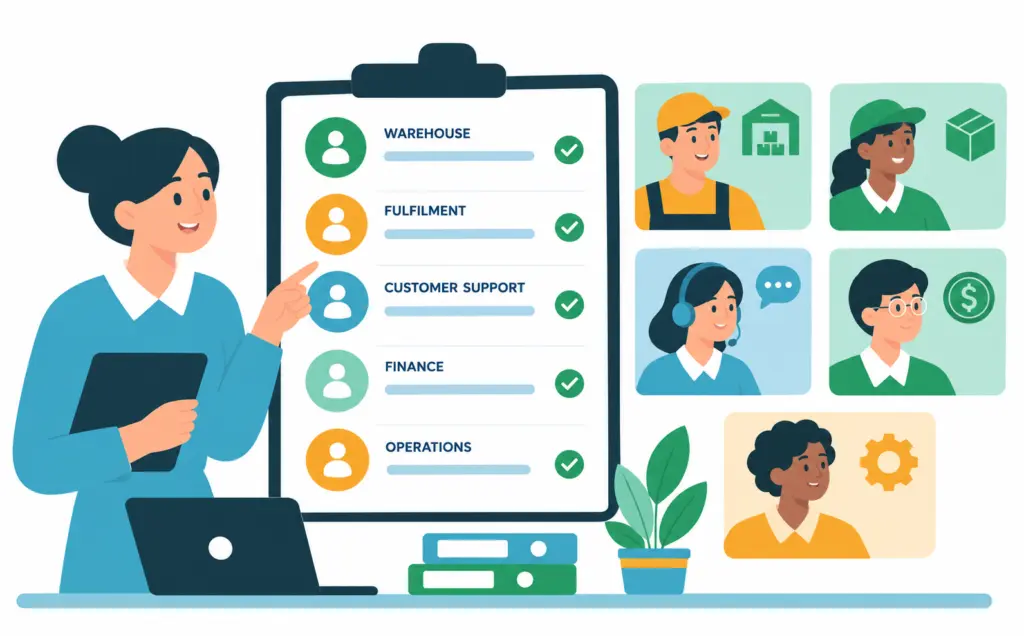
Prepare your team
Black Friday readiness is not only about systems and stock. The people operating them need to be ready too.
Review your expected order volumes and make sure you have enough people available across warehouse, fulfilment, customer support, finance and operational roles.
Think about:
- staffing levels
- shift coverage
- breaks
- backup staff
- training for temporary team members
- access to the correct systems
Make sure everyone understands the promotional offers and knows how unusual situations should be handled.
There should also be clear ownership around things like:
- refunds
- price overrides
- stock adjustments
- marketplace notifications
- failed integrations
- order exceptions
If something goes wrong, your team should know who owns it and when it needs to be escalated.
Remember to plan for after the promotion too. Customer queries, returns, refunds and reconciliation work can continue long after Black Friday itself has finished.
Confirm marketplace listings and fulfilment requirements
If marketplaces form part of your Black Friday strategy, your preparation should go beyond checking that products are listed.
Make sure:
- your products and offers are active and eligible to sell
- pricing is correct
- promotional participation has been accepted where approval is required
- campaign deadlines have been met
- stock-receiving deadlines are understood
- inventory is available at the required fulfilment locations
- seller-fulfilled processing commitments match your actual capacity
- account notifications and unresolved issues have been reviewed
If a third-party logistics provider forms part of your fulfilment process, understand their limits too. Depending on the importance of the channel, it may be worth considering what your backup plan would be if capacity becomes constrained.
Different marketplaces have different requirements, cut-offs and fulfilment models, so do not assume the process that works for one marketplace will automatically work for another.
Always check your seller portals and current marketplace requirements ahead of the promotion.

Plan your pricing and promotions carefully
Black Friday is not just about selling more. It is about selling profitably.
And the same product and discount can produce very different results depending on where the sale takes place.
Your own ecommerce store may have one cost structure, while a marketplace could introduce additional commissions, storage fees, fulfilment charges, payment fees, advertising costs or shipping subsidies.
Expected returns also need to be considered.
Here is a simple example.
If a product sells for R100 and costs you R60, you make R40 in gross profit — a 40% gross margin.
Discount that product by 20% and you now sell it for R80.
The product still costs you R60, which means your gross profit has dropped from R40 to R20.
Your selling price dropped by 20%, but your gross profit halved — before any marketplace commissions, advertising, payment processing or fulfilment costs are considered.
That is why your promotional strategy should consider profitability by product and by channel, not just revenue.
It can also be useful to set an expected unit sales budget and compare actual performance against it during the promotion.
Before going live:
- test whether discounts stack with other promotional codes or benefits
- confirm start and end times
- check product exclusions
- review quantity limits
- understand the profitability of the promotion by channel
- make sure there is enough cash available to fund inventory and operating expenses before marketplace payouts arrive
A big sales number does not automatically mean a successful Black Friday.
Set clear customer expectations
Your marketing promises need to match your operational reality.
Before the promotion starts, make sure customers can clearly understand:
- the promotion terms
- stock availability
- dispatch timeframes
- expected delivery times
- collection arrangements
- support hours
- return and cancellation processes
Prepare responses for likely issues such as delays, stock shortages, cancellations and returns.
This makes it much easier for your customer support team to respond consistently when volumes increase.
Returns and cancellation wording should also remain consistent with the consumer protections that apply to your business and customers.
The key principle is simple: do not promise customers something your stock, people or fulfilment operation cannot realistically deliver.
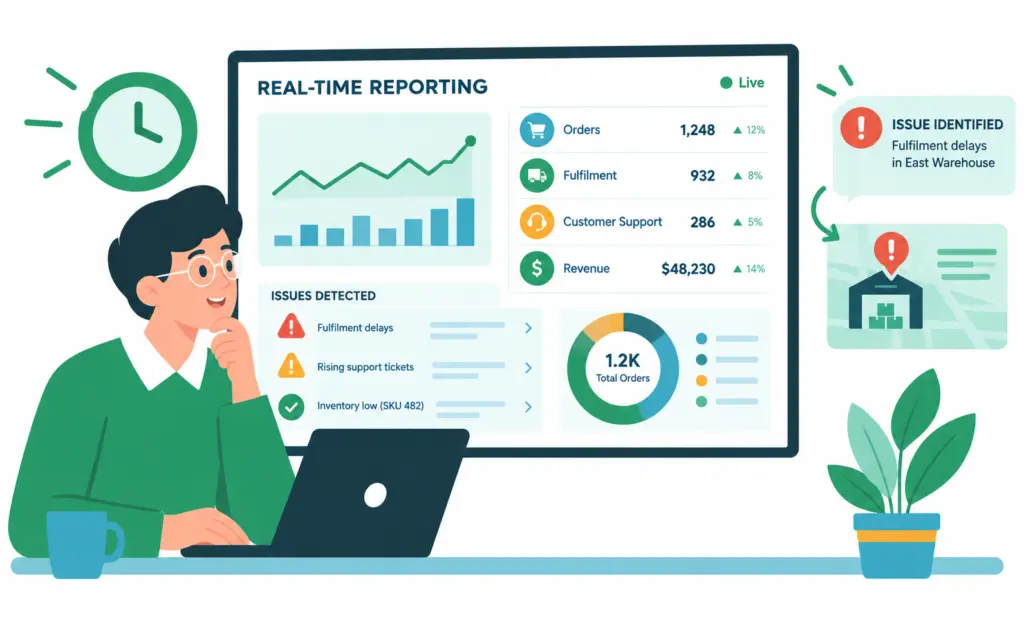
Make reporting available in near real time
Black Friday is not the time to wait until next week to find out what happened.
Your reporting should help the team identify issues while there is still time to do something about them.
Depending on your business, useful measures could include:
- orders received versus orders dispatched
- oldest unfulfilled order
- promotional stock remaining
- failed order imports
- failed stock updates
- payment exceptions
- orders approaching processing deadlines
- cancellations
- returns
- profitability by channel
But a dashboard on its own does not solve anything.
For each critical metric, decide:
- Who owns it?
- What number or situation requires intervention?
- What happens when that point is reached?
For example, if promotional stock falls below a certain level, who decides whether to transfer stock, replenish, limit order quantities or stop the promotion?
Reporting becomes valuable when it leads to action.
Have a plan for when things do not go to plan
Automation works brilliantly when a process follows the expected path.
But online retail is full of exceptions.
Payments fail. Customers cancel. Stock counts are wrong. Couriers miss collections. Marketplace orders fail to import. Products are returned.
Your preparation should therefore include the exceptions, not only the ideal workflow.
Ask:
- How do we know something has failed?
- Who gets notified?
- Where does the issue appear?
- Who owns the fix?
- Can a failed transaction be retried safely?
- Will the correction flow through to inventory and accounting?
- How do we prevent something from being processed twice?
The goal of automation is not simply to remove people from a process.
It is to create an operation where systems handle the repeatable work, while your team has the visibility and ownership needed to deal with the things that genuinely require attention.
So, are you ready for Black Friday?
Black Friday readiness is not one system, one dashboard or one warehouse checklist.
It is your stock, people, systems and fulfilment processes working together.
Your inventory data can be perfect, but it will not help if the warehouse cannot dispatch the orders. Your integrations can be running, but they will not help if nobody is monitoring failed transactions. And automation can reduce a huge amount of manual work, but it still relies on accurate information and clear ownership.
The businesses that cope best with busy trading periods are the ones that understand where their risks sit before volumes increase.
At Iridium, our Automation team helps growing businesses connect their systems, improve inventory workflows and reduce the manual work sitting between ecommerce, marketplaces, inventory, POS and accounting platforms.
If your systems aren’t working as well together as they could be, we can help simplify the setup and take more manual work off your team’s plate.
Black Friday FAQs
When should businesses start preparing for Black Friday?
Preparation should begin early enough to give you time to fix any problems you find. That includes confirming supplier deliveries, checking inventory accuracy, testing system integrations, planning fulfilment capacity, training staff and meeting marketplace campaign or stock-receiving deadlines. The more complex your operation and number of sales channels, the earlier that process should begin.
How does preparing for a marketplace differ from preparing your own online store?
When selling through your own online store, you generally have greater control over promotions, fulfilment processes and customer communication. Marketplaces may have their own campaign deadlines, inventory requirements, processing commitments, fees and fulfilment models. Businesses selling through marketplaces should check the current requirements in each seller portal rather than assuming all channels operate in the same way.
Can integrated systems still oversell stock?
Yes. A system connection can be active while an individual order, product or stock update fails or is delayed. Businesses also need to understand when inventory is reserved, how quickly information moves between systems and whether different channels share the same stock. Monitoring failed updates and using appropriate stock buffers can help reduce the risk.
What should a Black Friday order test include?
Test more than one standard order. Include promotional pricing, each payment method, bundles, last-unit orders, partial fulfilments, cancellations, returns, refunds and failed imports. Where you sell through several channels, test the workflow on each relevant channel and involve the people who will actually process the orders.
What should businesses reconcile after Black Friday?
Review sales, marketplace payouts, payment receipts, refunds, fees, inventory movements and accounting entries. It is also worth identifying any duplicate transactions, failed integrations, unresolved orders or inventory discrepancies before they become part of your normal data.
What should you do with your Black Friday data afterwards?
Once the busy period has settled down, compare actual performance with your forecasts. Look at demand by product and channel, stockouts, returns, fulfilment times, profitability, operational bottlenecks and failed processes. That information can help improve purchasing, stock allocation, system design and promotional planning for the next busy trading period.
